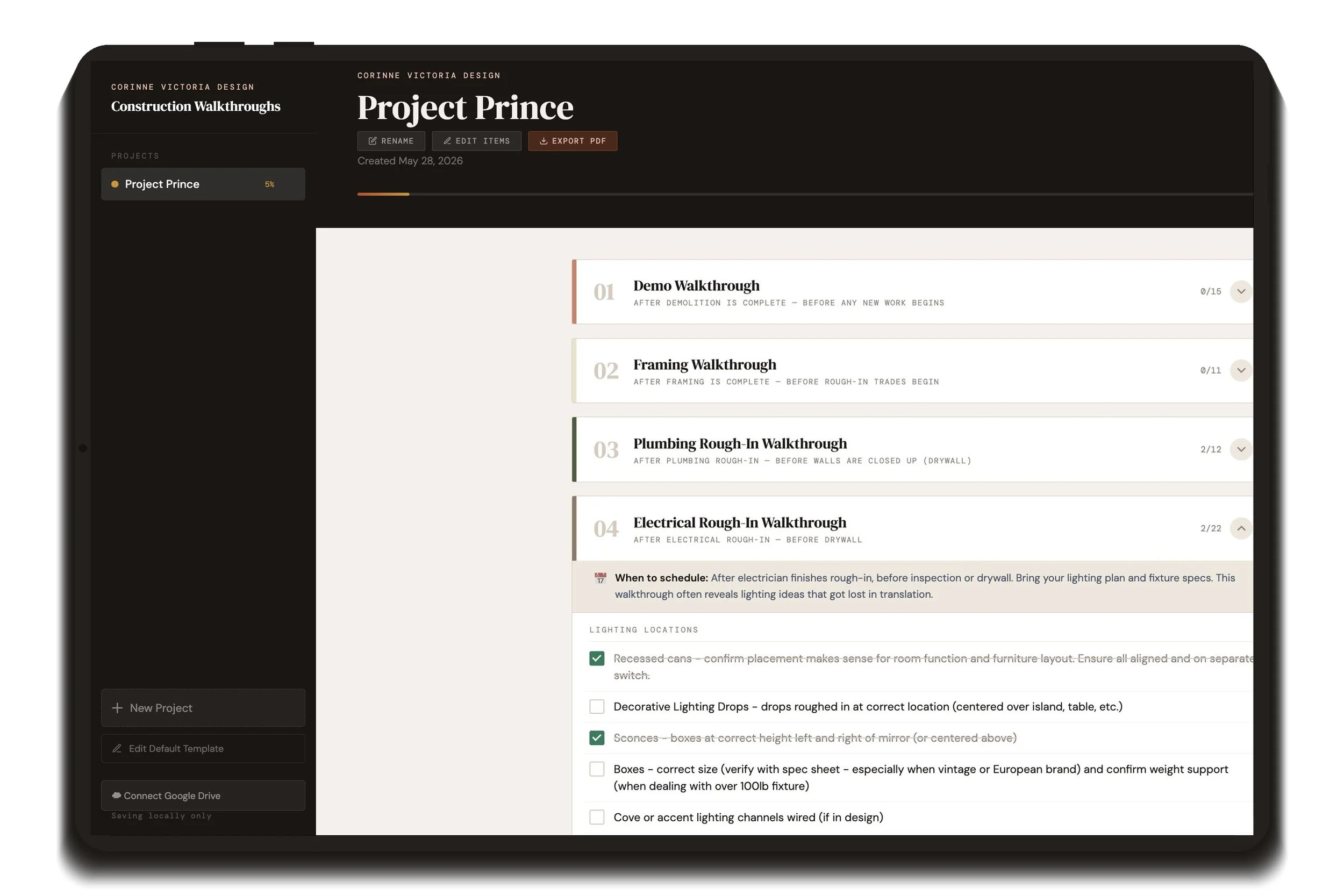
A room-by-room design guide for every project — client questions, dimensional standards, and a full sourcing checklist for every space
One-time purchase. No subscriptions. Runs in any browser on your computer, tablet, or phone. Your project data stays private and syncs only through your own Google Drive.
This is an interactive web file that lives on your computer and opens in Google Chrome. It walks you through 13 room types covering nearly every space in a residential project — with client discovery questions, dimensional and clearance standards, and a detailed section-by-section sourcing checklist for hard finishes and furniture within each one. Everything saves automatically to your browser, and you can create a new project for every client.
What’s Included
Client Questionnaires - pre-loaded with room-specific questions to ask at your kickoff meeting. Get personal with your clients!! Mark as asked and record the client's answer directly in the tool
Standard Dimensions - our standard clearances between furniture, lighting heights, and walkway minimums. Add your own that your firm uses on the daily.
Sourcing Checklist - check off as items are found (you’ll never forget bulbs for those lamps again!). Edit to accommadate custom items needed. This includes hard finishes, furnishings, plumbing / lighting fixtures, window treatments and decor typical of each room.
Room Notes - a free-text field for a Pinterest link, overall design direction, or anything else worth keeping at the top of the room
Section Notes - a note field on every section for vendor info, lead times, or client comments specific to that section
A completion counter on every section, room tab, and the overall project so you can see progress at a glance
Project Management Features
Unlimited projects - each saves independently with its own checklist state, notes, and answers
Overall progress bar - tracks completion across every room in the project
Sidebar - shows all your projects with a quick percentage complete for each
Google Drive Sync - connect once and every project auto-saves to your Drive and syncs across every device
Export PDF - a clean snapshot of any project to save to your project folder or send to a client
Edit Items Mode - reword, delete, reorder, or add items on any individual project without touching your default template
Default Template Editor - customize the questions, standards, and checklist once and every new project starts from your version
Add Room - add extra room tabs to any project (a second guest bedroom, an extra bathroom) from any template, or start blank
Firm name - click once to set; appears throughout the sidebar and on every PDF export
A room-by-room design guide for every project — client questions, dimensional standards, and a full sourcing checklist for every space
One-time purchase. No subscriptions. Runs in any browser on your computer, tablet, or phone. Your project data stays private and syncs only through your own Google Drive.
This is an interactive web file that lives on your computer and opens in Google Chrome. It walks you through 13 room types covering nearly every space in a residential project — with client discovery questions, dimensional and clearance standards, and a detailed section-by-section sourcing checklist for hard finishes and furniture within each one. Everything saves automatically to your browser, and you can create a new project for every client.
What’s Included
Client Questionnaires - pre-loaded with room-specific questions to ask at your kickoff meeting. Get personal with your clients!! Mark as asked and record the client's answer directly in the tool
Standard Dimensions - our standard clearances between furniture, lighting heights, and walkway minimums. Add your own that your firm uses on the daily.
Sourcing Checklist - check off as items are found (you’ll never forget bulbs for those lamps again!). Edit to accommadate custom items needed. This includes hard finishes, furnishings, plumbing / lighting fixtures, window treatments and decor typical of each room.
Room Notes - a free-text field for a Pinterest link, overall design direction, or anything else worth keeping at the top of the room
Section Notes - a note field on every section for vendor info, lead times, or client comments specific to that section
A completion counter on every section, room tab, and the overall project so you can see progress at a glance
Project Management Features
Unlimited projects - each saves independently with its own checklist state, notes, and answers
Overall progress bar - tracks completion across every room in the project
Sidebar - shows all your projects with a quick percentage complete for each
Google Drive Sync - connect once and every project auto-saves to your Drive and syncs across every device
Export PDF - a clean snapshot of any project to save to your project folder or send to a client
Edit Items Mode - reword, delete, reorder, or add items on any individual project without touching your default template
Default Template Editor - customize the questions, standards, and checklist once and every new project starts from your version
Add Room - add extra room tabs to any project (a second guest bedroom, an extra bathroom) from any template, or start blank
Firm name - click once to set; appears throughout the sidebar and on every PDF export

 Image 1 of 7
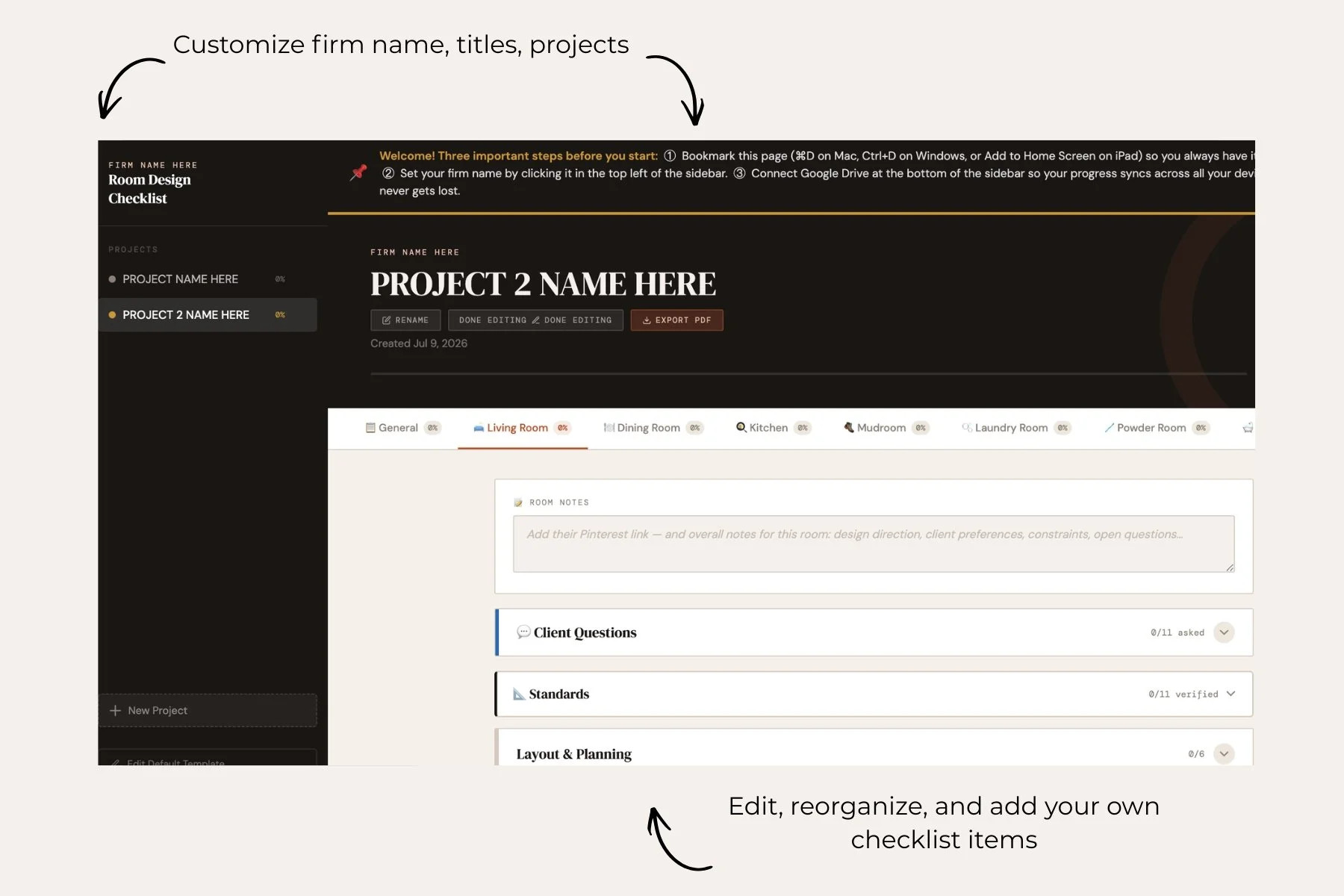 Image 2 of 7
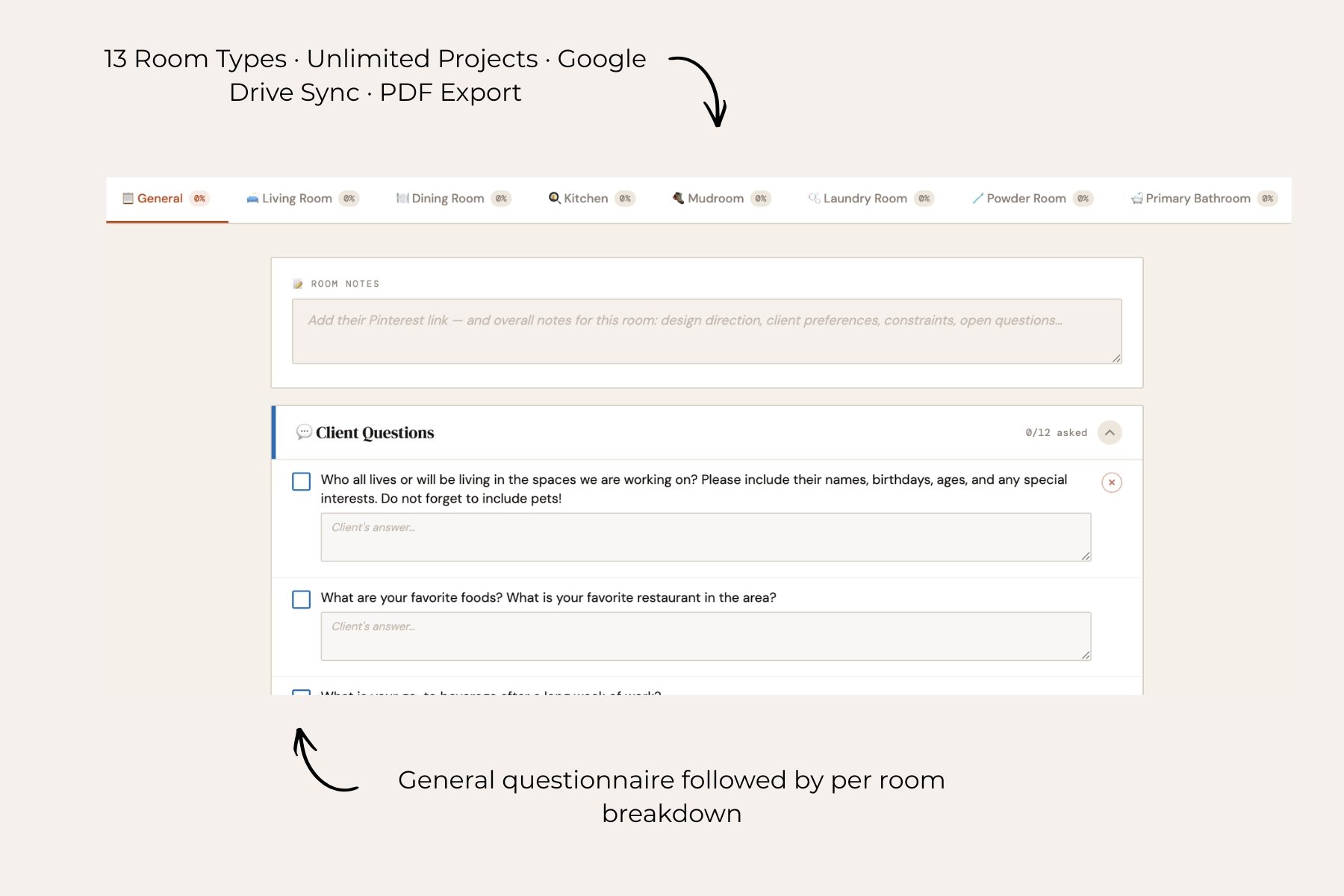 Image 3 of 7
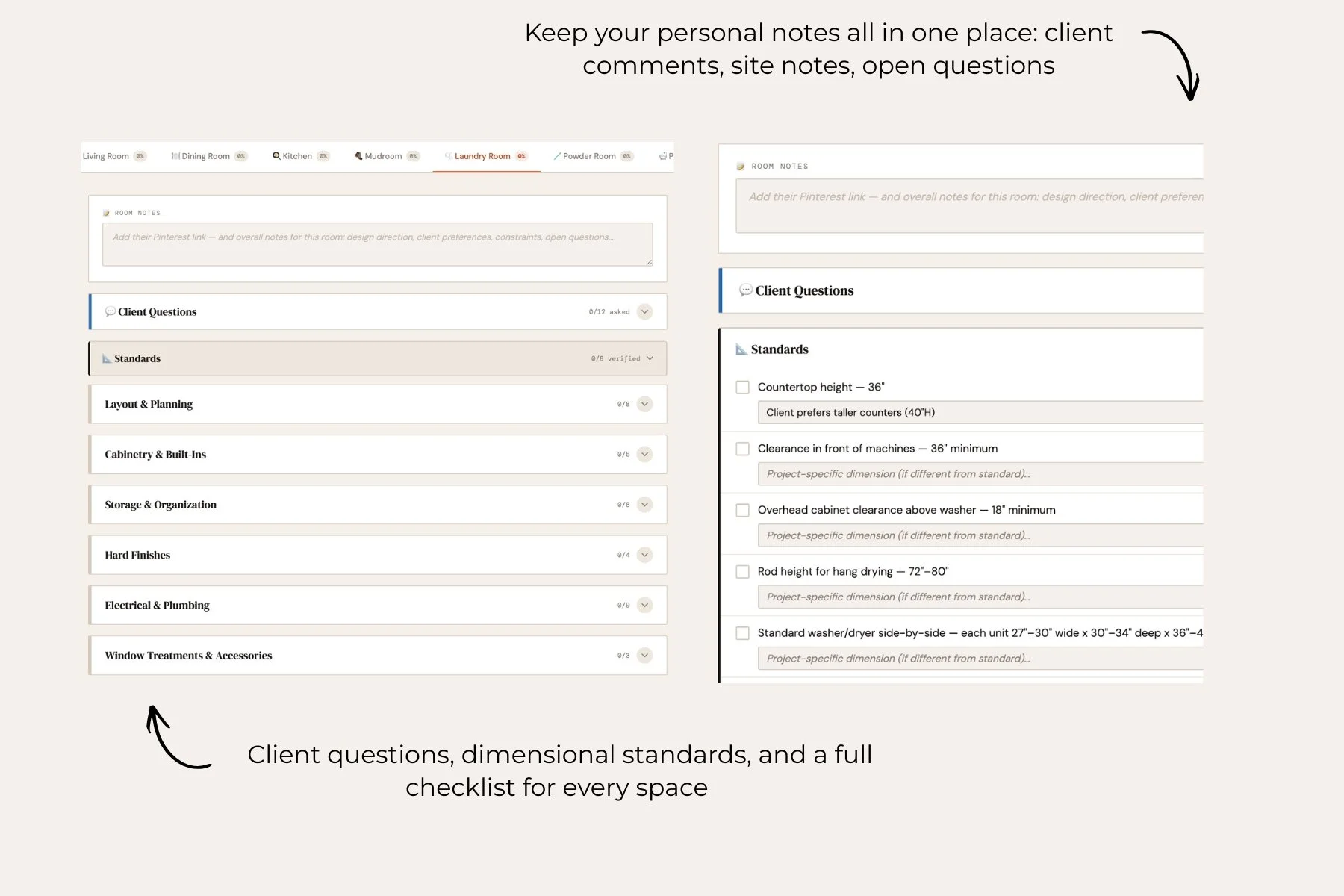 Image 4 of 7
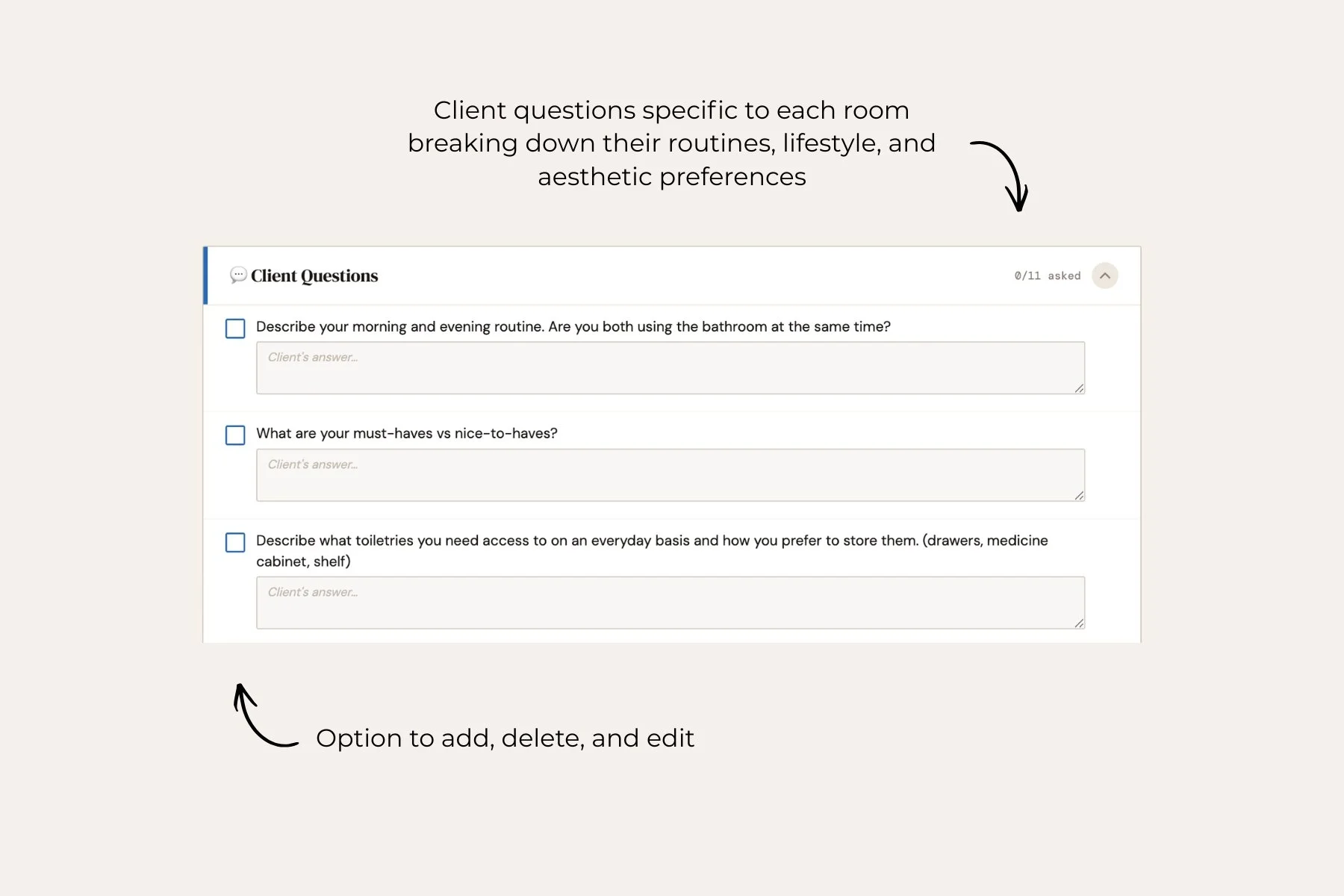 Image 5 of 7
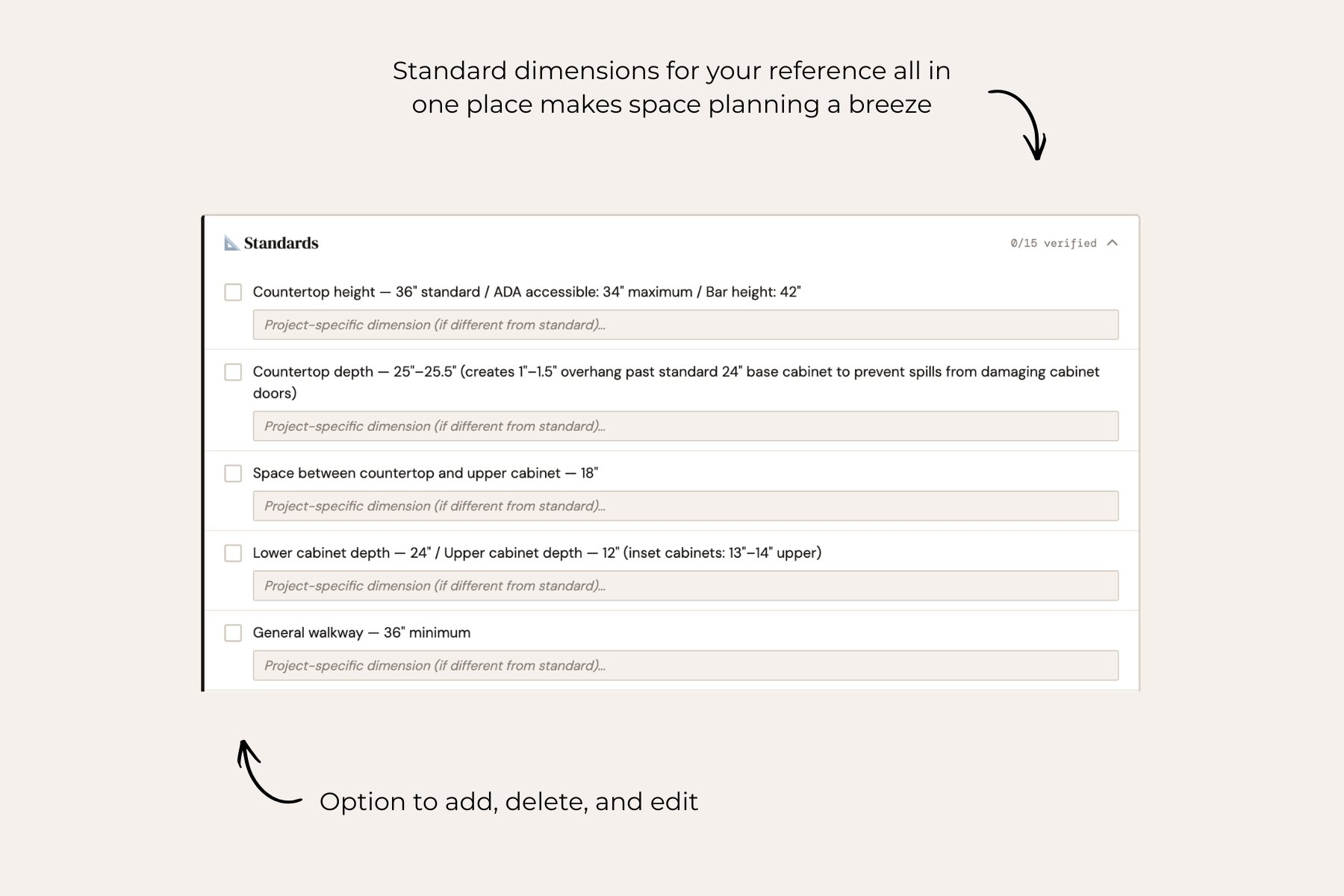 Image 6 of 7
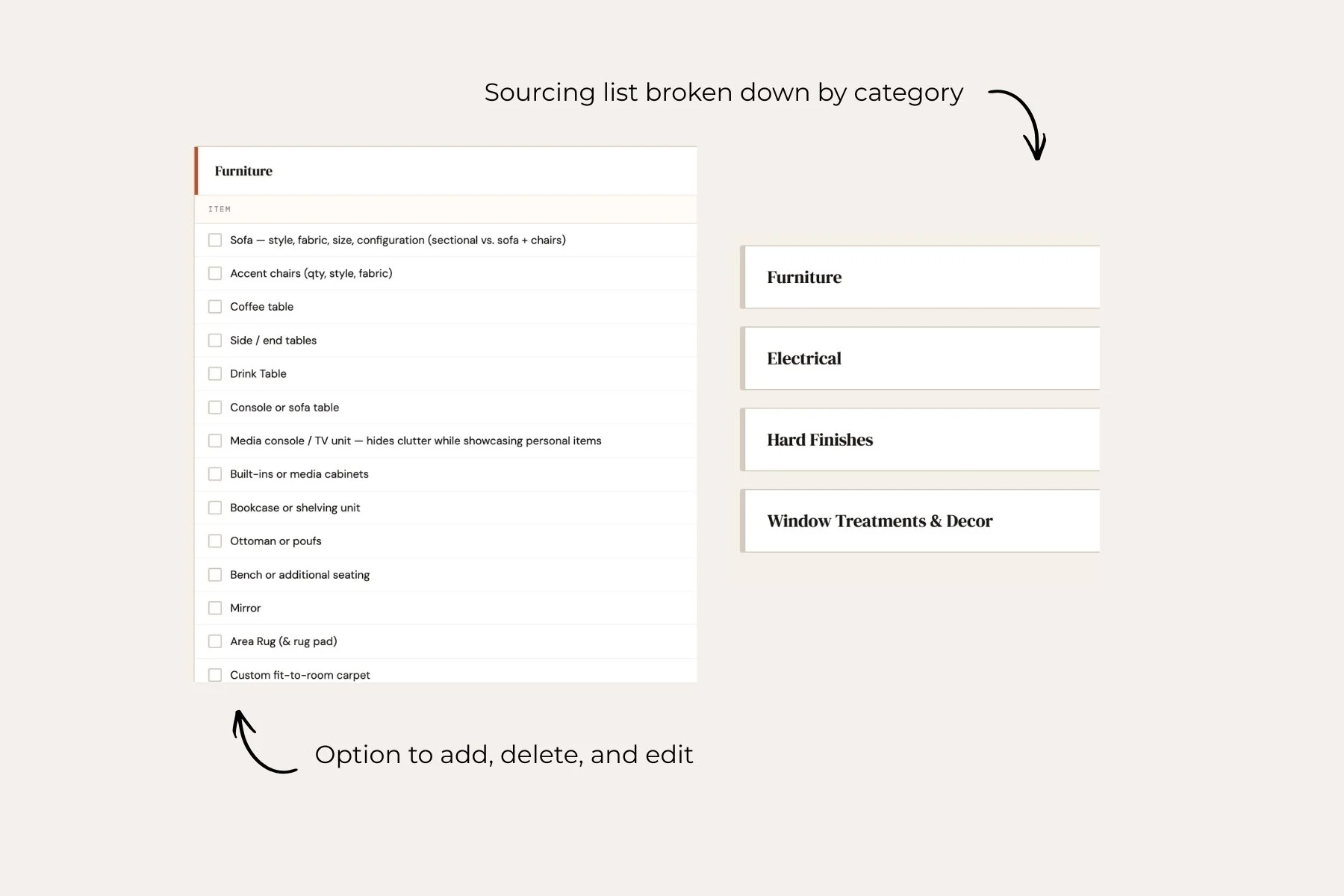 Image 7 of 7