
 Image 1 of 4
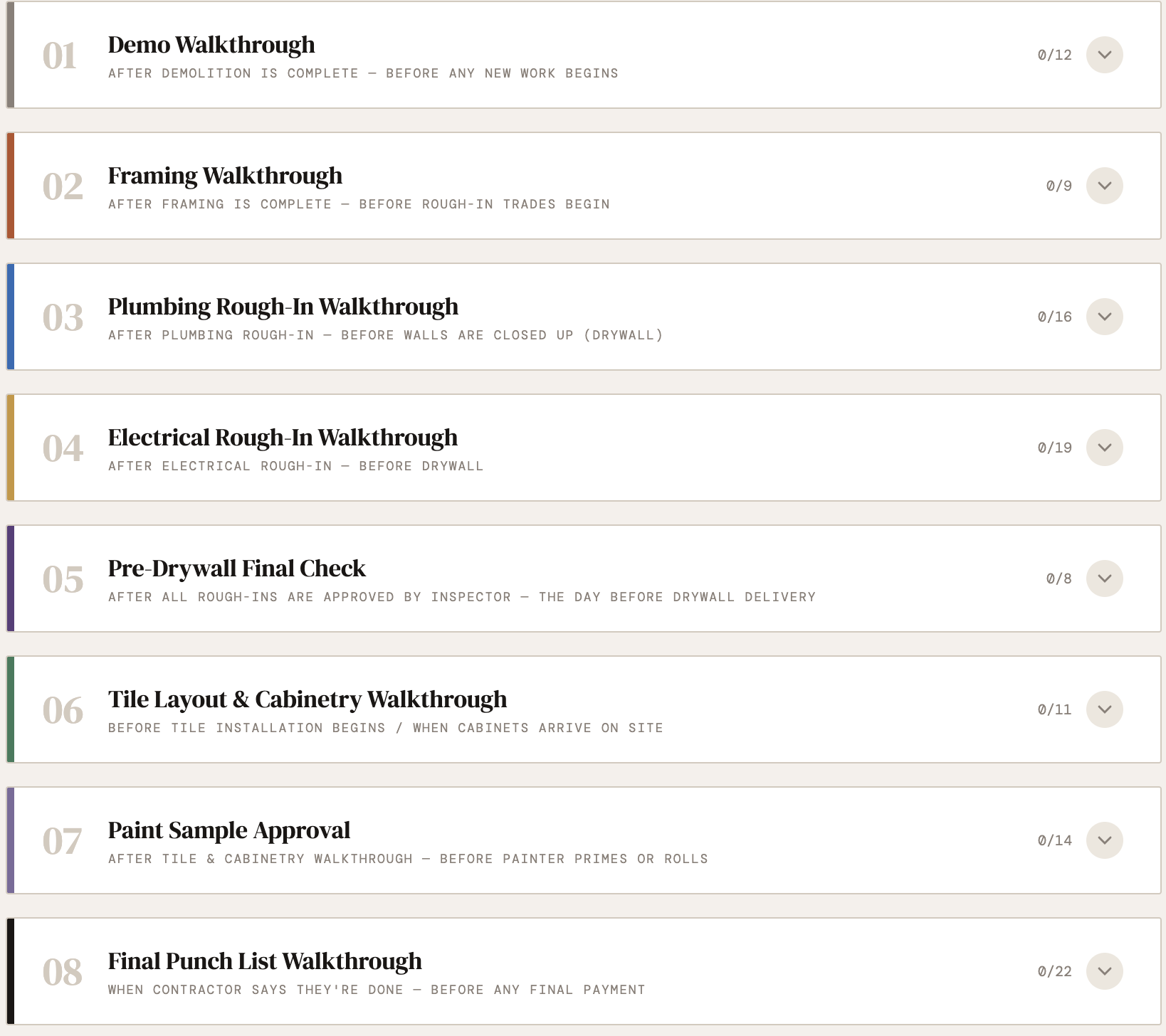 Image 2 of 4
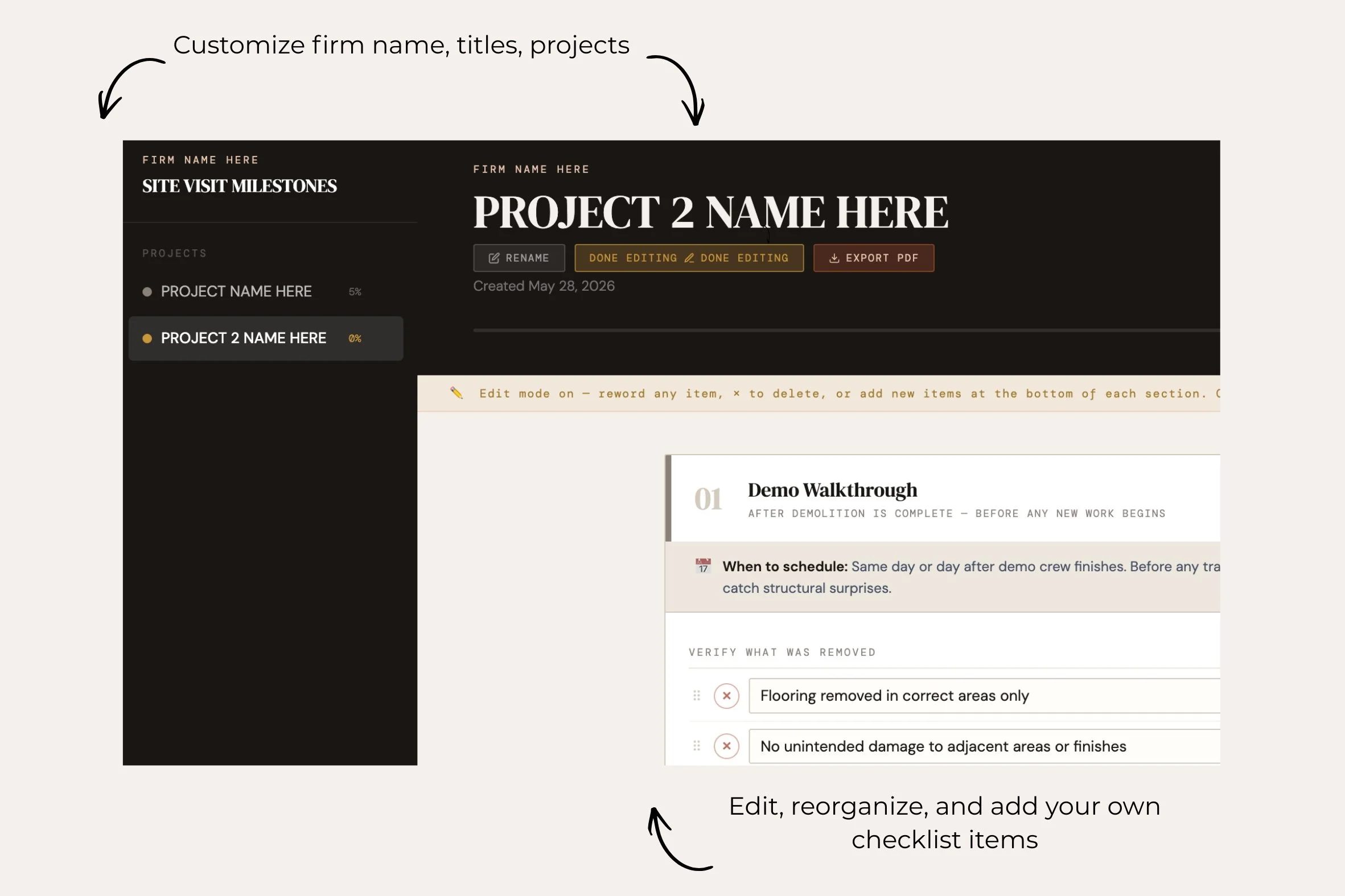 Image 3 of 4
 Image 4 of 4
You showed up to a site visit and the plumber roughed in the shower valve six inches too high. The electrician put the sconces at the wrong height. The cabinet installer set everything before you confirmed the refrigerator opening
Nobody caught it. Now it's behind drywall. This checklist exists so that never happens again!!
———————————
Eight critical site visits. Every phase of a residential renovation (from demo walkthrough to final punch list). For each one: exactly when to schedule it, what to look for, and a place to log your notes and dates on site.
Built by a designer who has been on the job site when things went wrong and knows exactly what to check before they do.
What's inside:
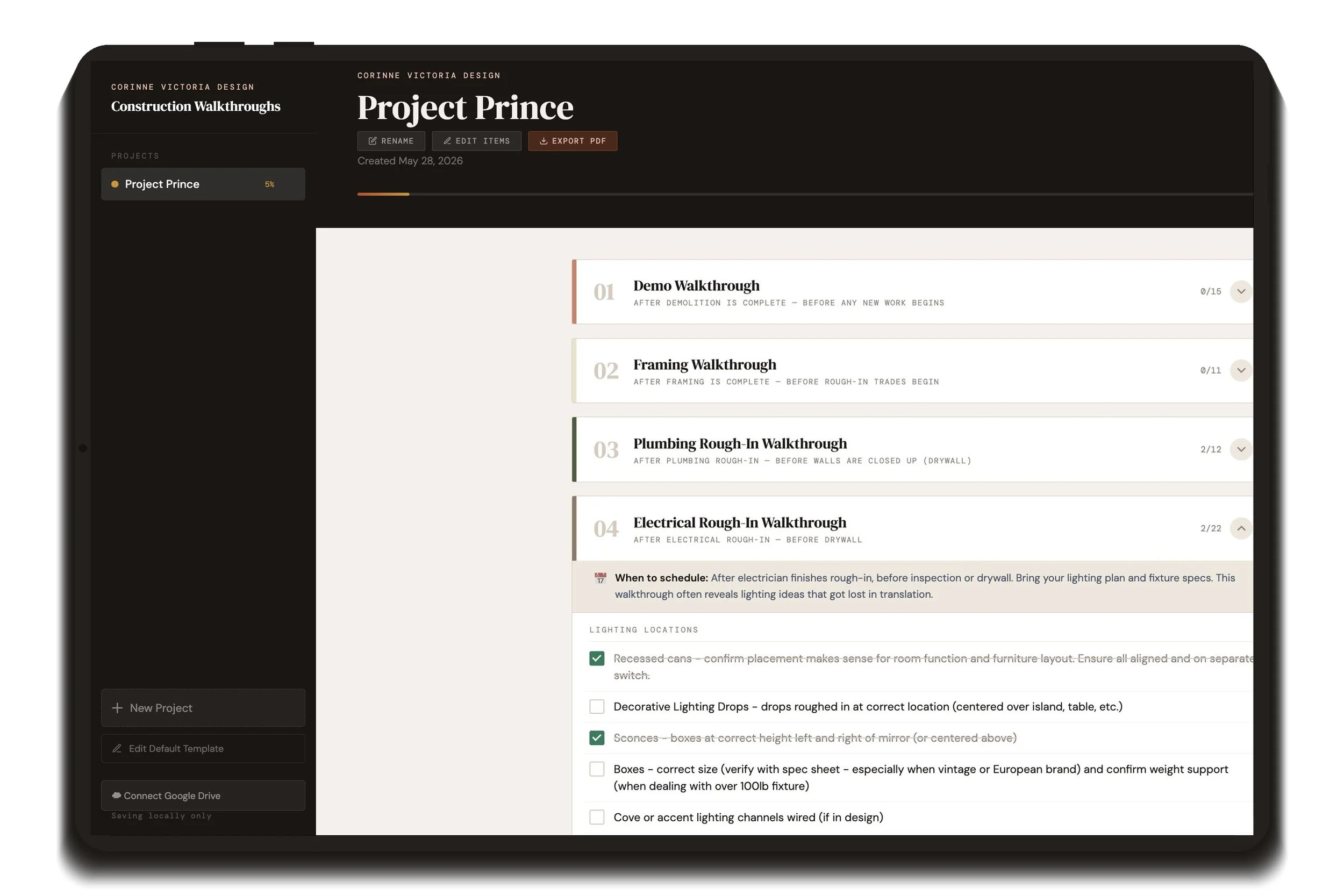
8 milestone walkthroughs: Demo, Framing, Plumbing Rough-In, Electrical Rough-In, Pre-Drywall, Tile & Cabinetry, Paint Approval, Final Punch List
Timing guidance for each phase so you know exactly when relative to the build to schedule the visit
Checklist items covering structure, trades, materials, and your design intent - including a full Furniture Installation Day inspection section
Interactive checklist that crosses off each line item as you go
Date stamp and notes field per phase to log what you caught on site
Progress tracking across the full project
Customizable - edit, reorder, or add items to match how your firm works
Export to PDF at any point - use it on your iPad in GoodNotes or save to your project folder
Syncs across devices with Google Drive - open on your iPad on site, review on your computer at your desk
Includes the interactive web tool and a step-by-step how-to guide.
Works on any browser. Computer, iPad, phone. (Only syncs across multiple devices when connected to Google Drive)
**This is a single-license product for individual studio use. Please do not share or redistribute the URL or files.
You showed up to a site visit and the plumber roughed in the shower valve six inches too high. The electrician put the sconces at the wrong height. The cabinet installer set everything before you confirmed the refrigerator opening
Nobody caught it. Now it's behind drywall. This checklist exists so that never happens again!!
———————————
Eight critical site visits. Every phase of a residential renovation (from demo walkthrough to final punch list). For each one: exactly when to schedule it, what to look for, and a place to log your notes and dates on site.
Built by a designer who has been on the job site when things went wrong and knows exactly what to check before they do.
What's inside:
8 milestone walkthroughs: Demo, Framing, Plumbing Rough-In, Electrical Rough-In, Pre-Drywall, Tile & Cabinetry, Paint Approval, Final Punch List
Timing guidance for each phase so you know exactly when relative to the build to schedule the visit
Checklist items covering structure, trades, materials, and your design intent - including a full Furniture Installation Day inspection section
Interactive checklist that crosses off each line item as you go
Date stamp and notes field per phase to log what you caught on site
Progress tracking across the full project
Customizable - edit, reorder, or add items to match how your firm works
Export to PDF at any point - use it on your iPad in GoodNotes or save to your project folder
Syncs across devices with Google Drive - open on your iPad on site, review on your computer at your desk
Includes the interactive web tool and a step-by-step how-to guide.
Works on any browser. Computer, iPad, phone. (Only syncs across multiple devices when connected to Google Drive)
**This is a single-license product for individual studio use. Please do not share or redistribute the URL or files.