
 Image 1 of 4
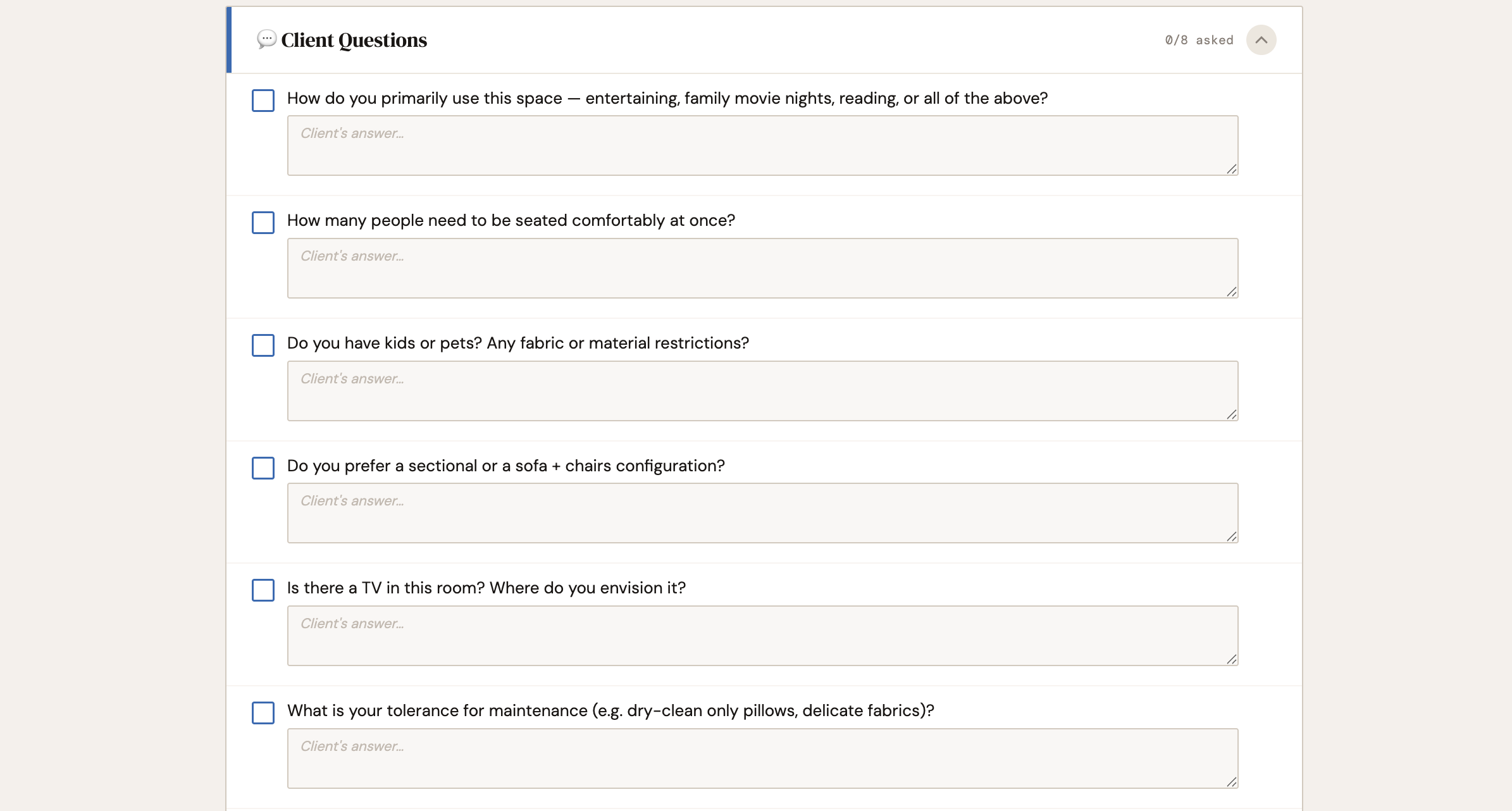 Image 2 of 4
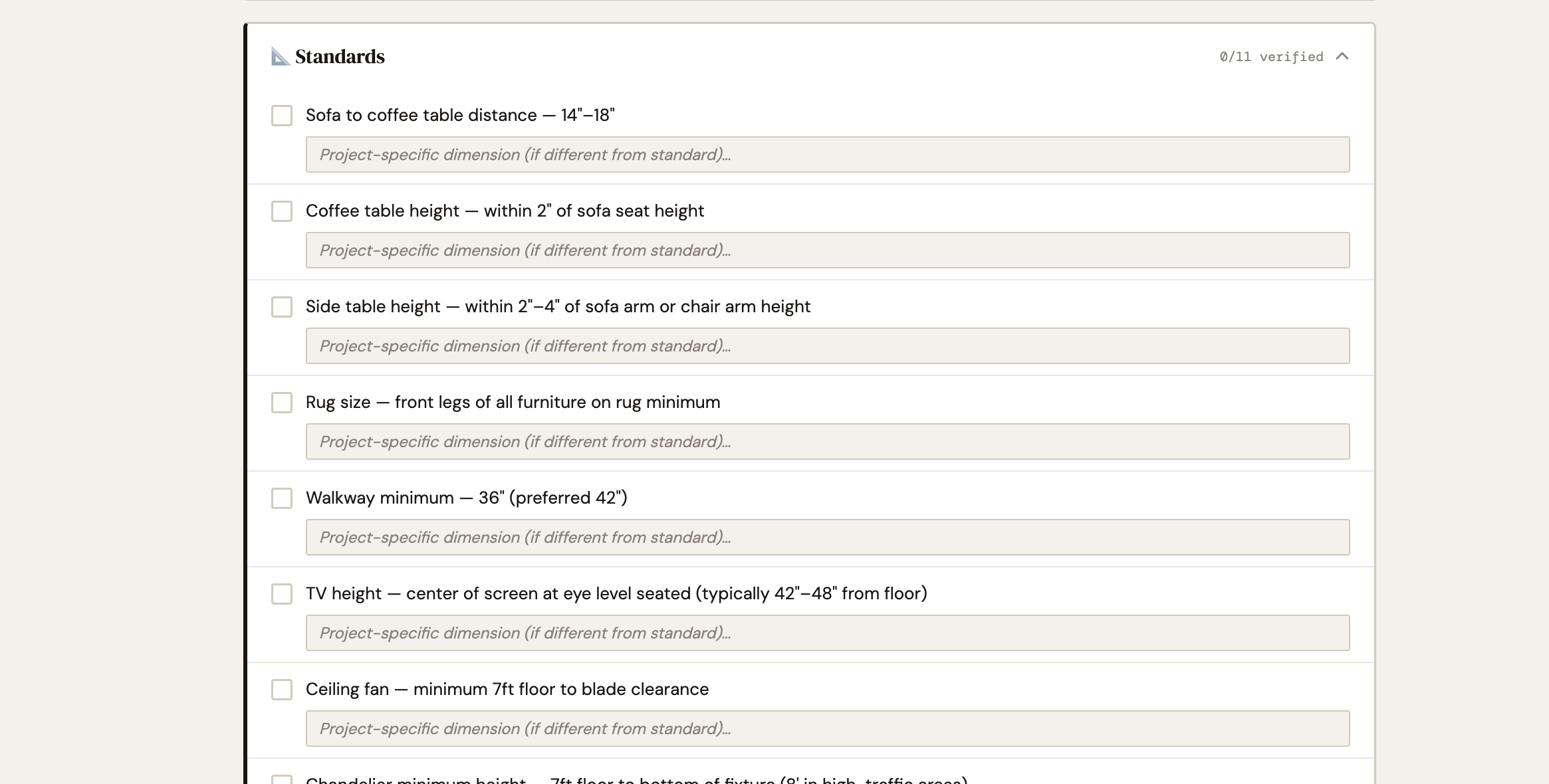 Image 3 of 4
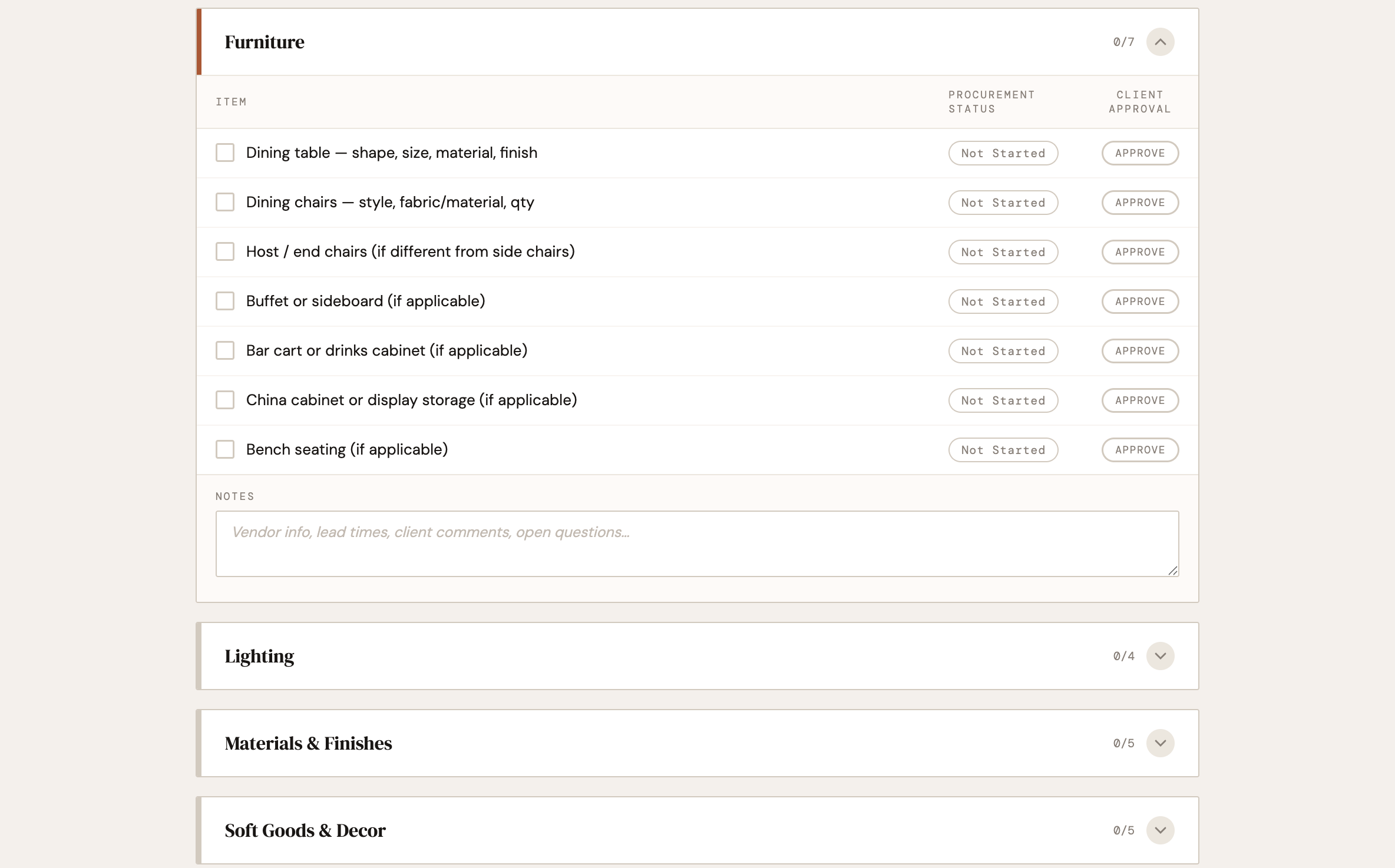 Image 4 of 4
Stop keeping 5 apps and 5 million tabs open.
This is an interactive tool that opens in your browser. For every room in a project, it starts with a Client Question section pre-loaded with room-specific questions that dive into the homeowner’s preferences, routines, and must-haves. Next, a list of standard dimensions that we constantly refer to and use as a starting point for every selection from sourcing to construction documentation. Below, there is an interative checklist of all furnishings, plumbing, lighting, window treatments, appliances, etc to be sourced per room. Goal is to stay organized and efficient while sourcing !!
What’s Included
Client Questions section per room - pre-loaded with room-specific questions to ask at your kickoff meeting. Get personal with your clients!! Mark as asked and record the client's answer directly in the tool
Standard Dimensions - our standard clearances between furniture, lighting heights, and walkway minimums. Add your own that your firm uses on the daily.
Sourcing Checklist - check off as items are found (you’ll never forget bulbs for those lamps again!). Edit to accommadate custom items needed.
Notes field per section - vendor info, lead times, client comments, open questions
Room notes field - big-picture direction, constraints, anything that shapes the whole room
Project Management Features
Unlimited projects: each saves independently with its own checklist state and notes
Room tabs with live percentage complete for each room
Overall progress bar across the full project
Export PDF: all rooms and sections in one clean document
Edit Items Mode: reword, delete, or add checklist items on any individual project
Default Template Editor: customize checklist items and client questions once; every new project starts from your version
Drag-and-Drop Reordering: rearrange items within any section in edit mode
Firm Name: click once to set, appears on every page and PDF export
Stop keeping 5 apps and 5 million tabs open.
This is an interactive tool that opens in your browser. For every room in a project, it starts with a Client Question section pre-loaded with room-specific questions that dive into the homeowner’s preferences, routines, and must-haves. Next, a list of standard dimensions that we constantly refer to and use as a starting point for every selection from sourcing to construction documentation. Below, there is an interative checklist of all furnishings, plumbing, lighting, window treatments, appliances, etc to be sourced per room. Goal is to stay organized and efficient while sourcing !!
What’s Included
Client Questions section per room - pre-loaded with room-specific questions to ask at your kickoff meeting. Get personal with your clients!! Mark as asked and record the client's answer directly in the tool
Standard Dimensions - our standard clearances between furniture, lighting heights, and walkway minimums. Add your own that your firm uses on the daily.
Sourcing Checklist - check off as items are found (you’ll never forget bulbs for those lamps again!). Edit to accommadate custom items needed.
Notes field per section - vendor info, lead times, client comments, open questions
Room notes field - big-picture direction, constraints, anything that shapes the whole room
Project Management Features
Unlimited projects: each saves independently with its own checklist state and notes
Room tabs with live percentage complete for each room
Overall progress bar across the full project
Export PDF: all rooms and sections in one clean document
Edit Items Mode: reword, delete, or add checklist items on any individual project
Default Template Editor: customize checklist items and client questions once; every new project starts from your version
Drag-and-Drop Reordering: rearrange items within any section in edit mode
Firm Name: click once to set, appears on every page and PDF export